antony@notes:~/rancher$ cat "Cluster-Management-with-SUSE-Rancher.md"
Cluster Management with SUSE Rancher
Preface
本篇文章會介紹以下內容
- 探索 SUSE Rancher 的圖形使用者介面
- 查看 Cluster and Node Agents
- 導入已存在的 Kubernetes 叢集
- 在已存在的節點上配置一個 RKE 叢集
Explore SUSE Rancher GUI
SUSE Rancher Home Page
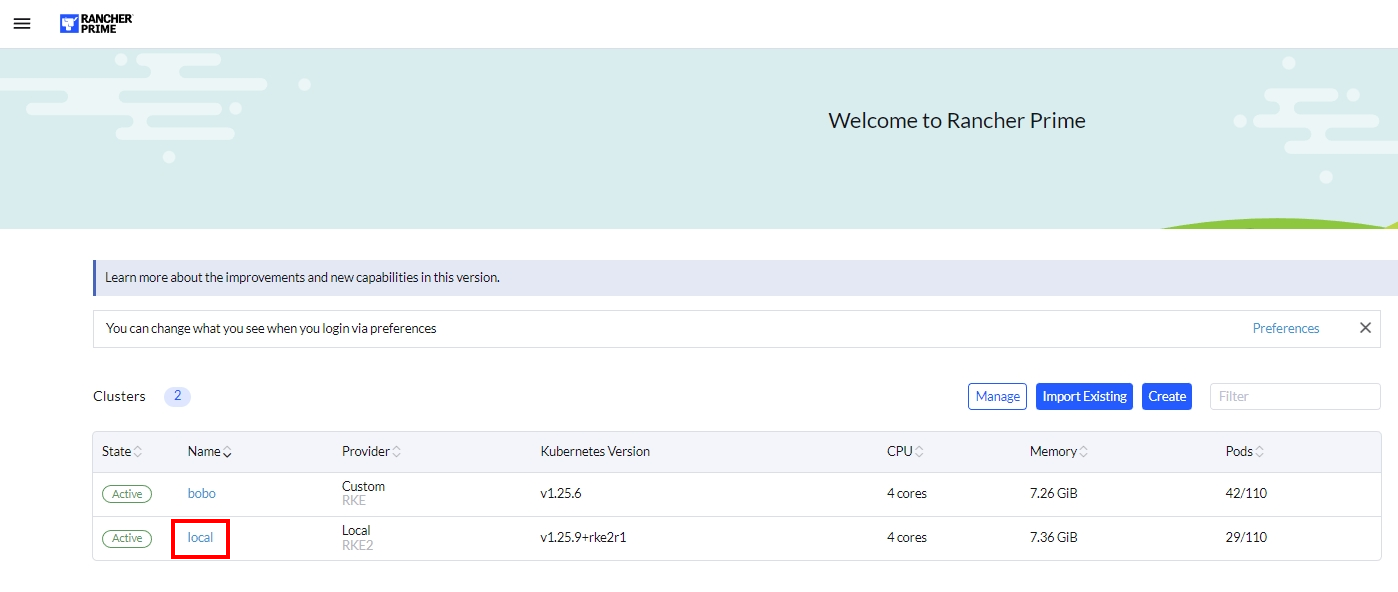
- SUSE Rancher GUI 允許管理多個集群
- 主頁列出了 SUSE Rancher 集群本身以及任何被管理和註冊的下游集群
- SUSE Rancher 集群的默認顯示名稱是
local
- SUSE Rancher 集群的默認顯示名稱是
- 主頁列出了 SUSE Rancher 集群本身以及任何被管理和註冊的下游集群
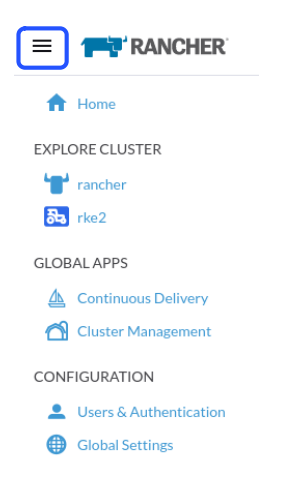
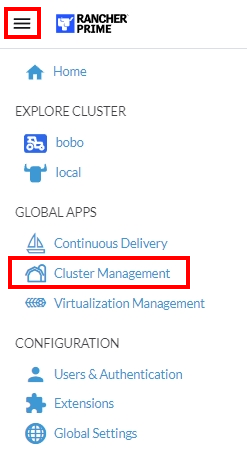
SUSE Rancher Main Menu
左上角的主菜單按鈕
- Home (首頁) → SUSE Rancher 登入頁面
- Explore Cluster (探索集群) → 下游集群的 App (應用程序)、 Service (服務)、 Storage (存儲)和其他資源的 信息 和 管理
- Continuous Delivery (持續交付) → 用於多集群應用自動化的 Git repo 配置
- Cluster Management (集群管理) → Downstream cluster (下游集群)、cloud credentials (雲憑證) 和 driver 驅動程序管理
- Users & Authentication (用戶和認證) → 本地用戶和外部認證提供商配置和角色管理
- Global Settings (全局設置) → SUSE Rancher 設定和品牌推廣
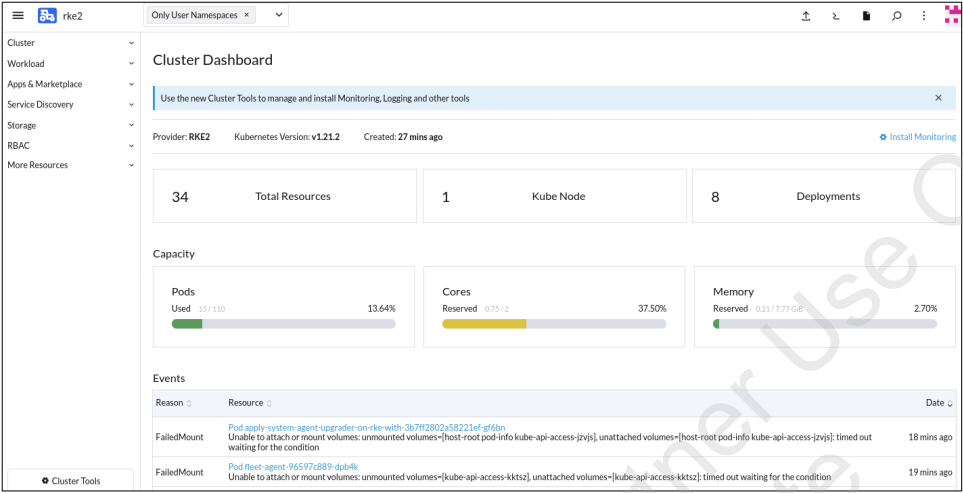
Cluster Dashboard
包含特定於所選集群的信息和資源
Continuous Delivery
- 通過持續交付,可以輕鬆管理跨多個集群的應用程序部署
- 一次設定,多次部署
- Cluster groups 是根據 Kubernetes 的標籤來分的。
- GitOps at scale
- The app developer modifies code
- The change is deployed on running Kubernetes clusters
- The app developer modifies code
Cluster Management
- 顯示當前集群的列表
- 從最右邊的三點式菜單進行集群設定
- 從 “Explore” 按鈕查看集群資源
- New clusters can be imported or provisioned
- Hosted or infrastructure provider clusters require cloud credentials and cluster or node drivers enabled in SUSE Rancher

Users & Authentication
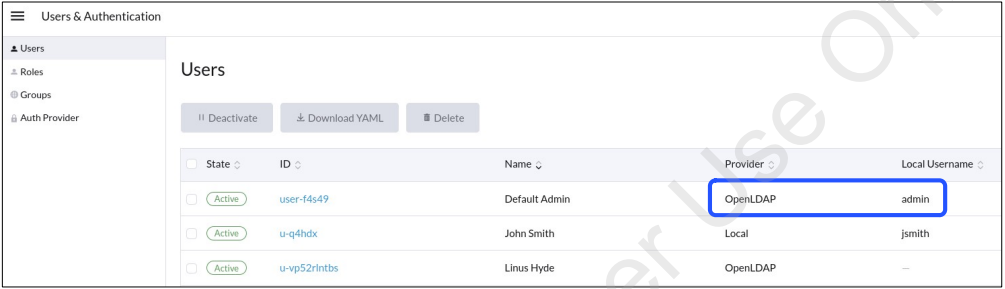
- User management
- Local
- External
- 用於設定的用戶賬戶將被映射到 local 本地管理用戶上
Global Settings
- 修改 Advanced Settings (高級設置)時必須小心
- Feature Flags (功能標誌)是為了測試目的
- 不建議用於生產系統
- Branding
- Company logo
- Company colors
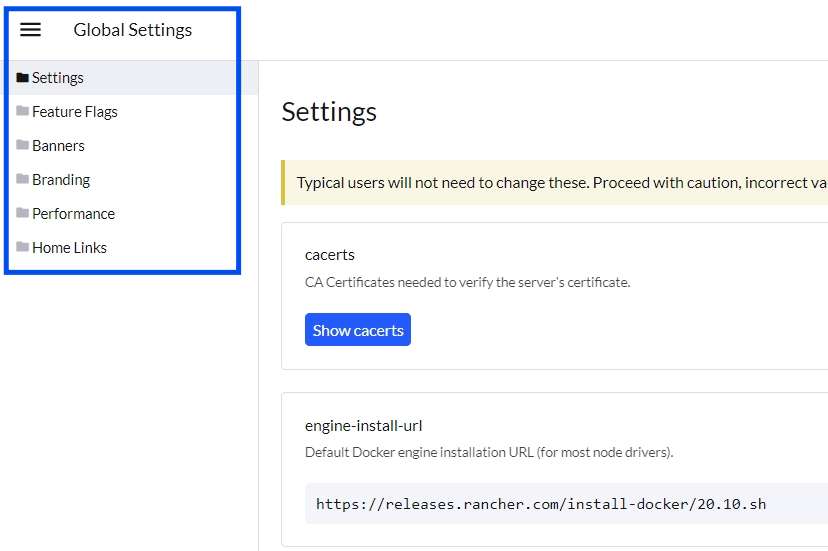
Configuration for Branding
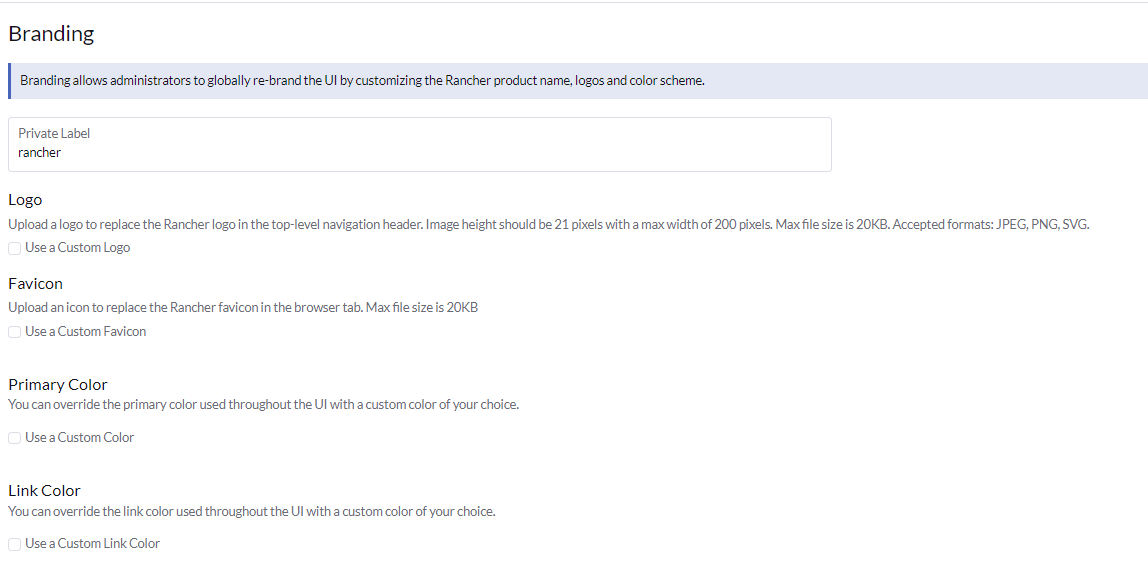
Accessing Cluster Dashboard (1/3)
- Option 1: 從 SUSE Rancher Home 裡面的集群列表中點擊
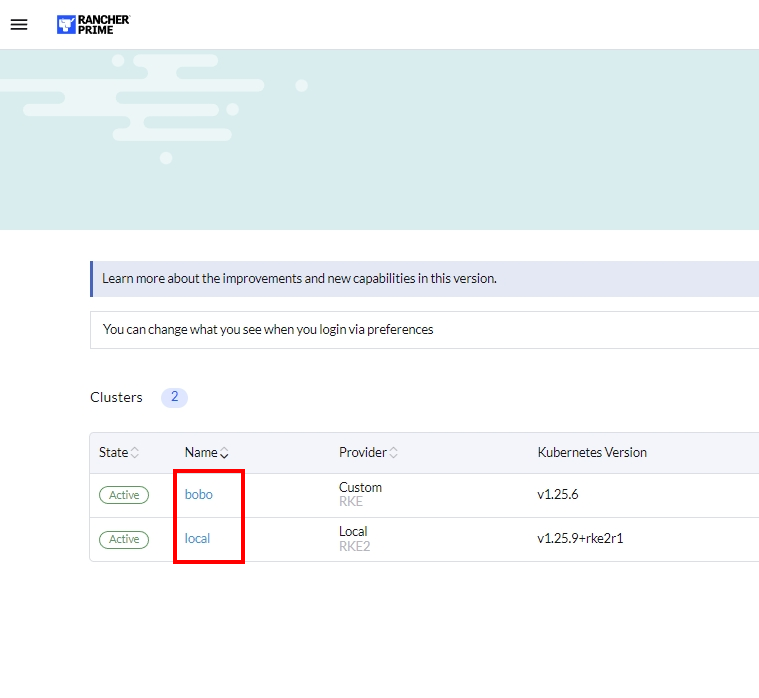
Accessing Cluster Dashboard (2/3)
- Option 2: Click from the Main Menu cluster list
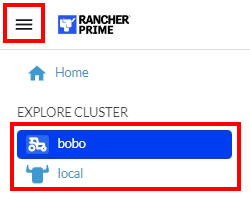
Accessing Cluster Dashboard (3/3)
- Option 3: Click Explore button from Cluster Management view

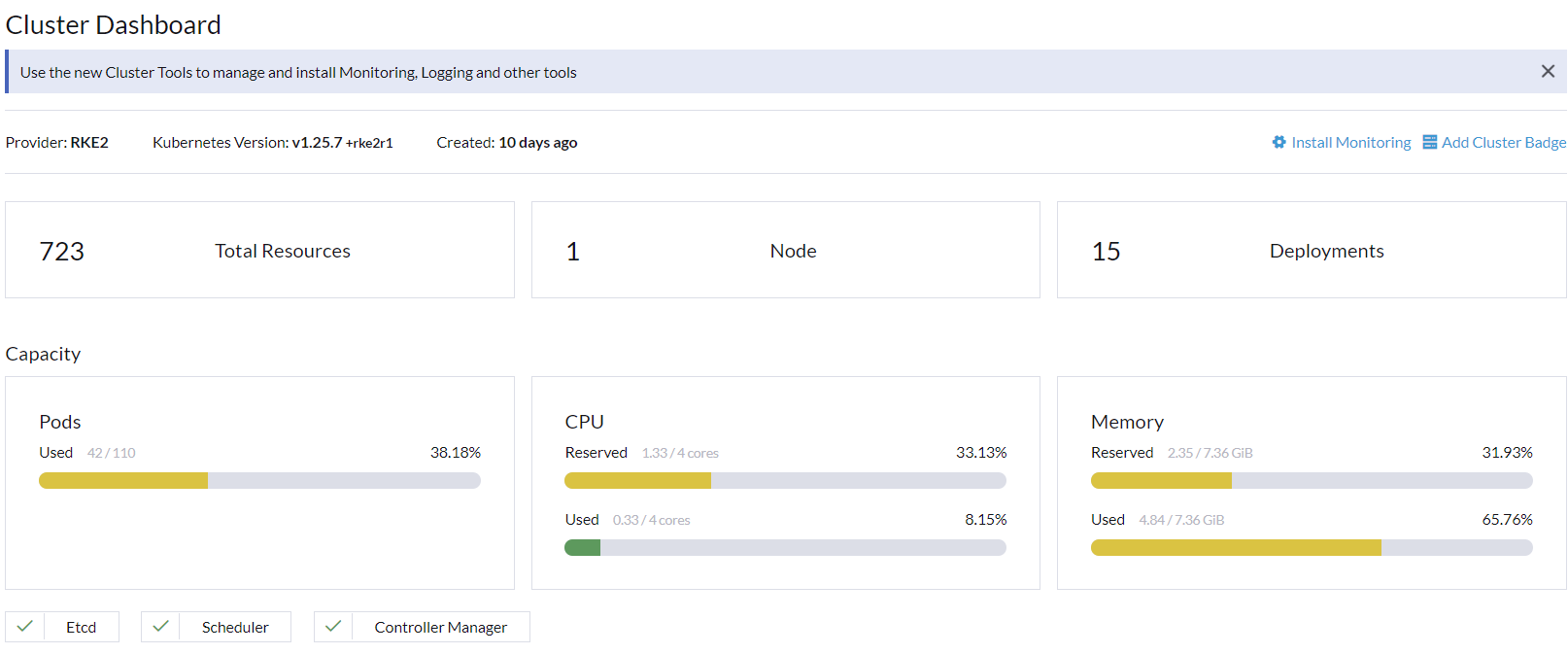
Cluster Dashboard
- 顯示基本的資源和使用信息
- 如果部署了 monitoring (監控),則顯示圖形集群指標
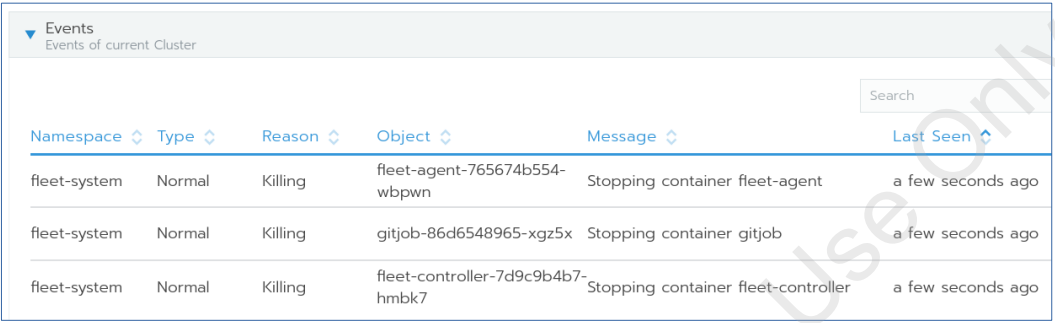
Cluster Events
- 集群的近期事件列表顯示在利用率統計信息下方
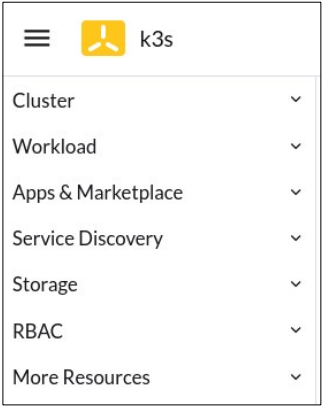
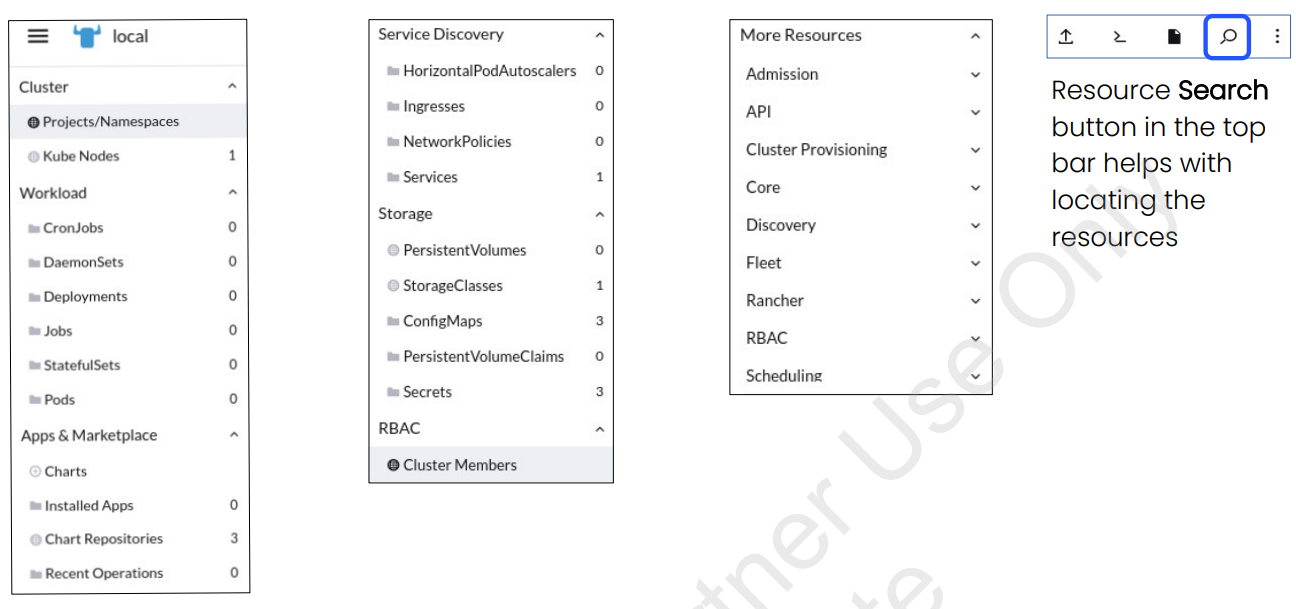
Cluster Menu
- Cluster: Projects/Namespaces and node information
- Workload: Pod, deployment and daemon set details
- Apps & Marketplace: Chart repositories, app oinstallation and information about installed apps
- Service Discovery: Services and ingresses
- Storage: Storage classes, persistent volumes, config maps and secrets
- RBAC: User and role assignments for the cluster
- More Resources: All other Kubernetes resources
Menu Items for Cluster Resources
菜單項可能根據集群上部署的軟件而有所不同。例如,安裝 Monitoring (監控)、 Logging (日誌) 、CIS Scanning (CIS 掃描) 、OPA Gatekeeper (OPA 門衛)、Rancher 備份等將在菜單中添加新的選項。
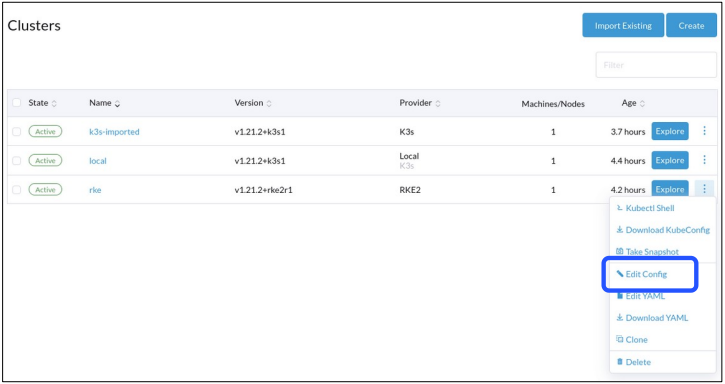
Cluster Management View
- Cluster configuration details are available from Main Menu → Cluster Management → Triple Dot Menu → Edit Config
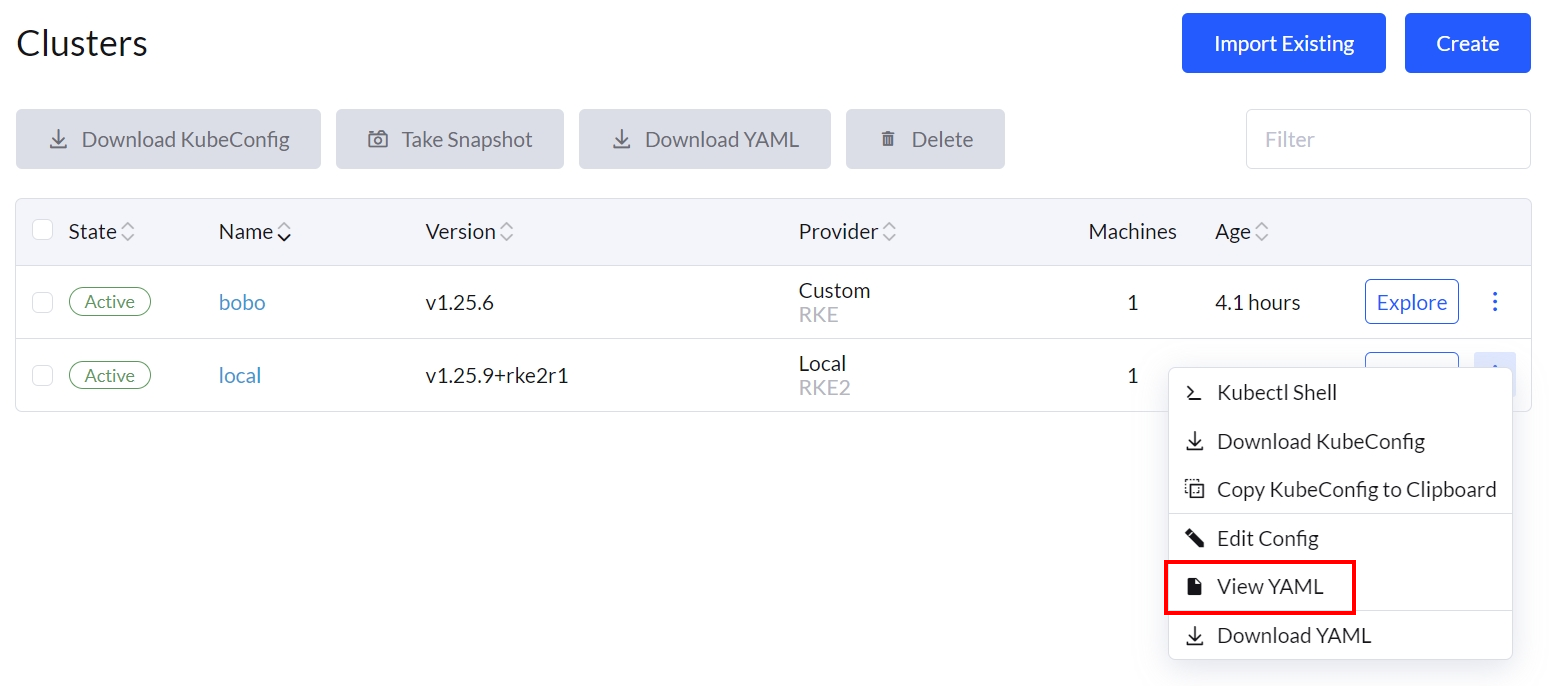
Edit Cluster with YAML
- SUSE Rancher 提供了 YAML view 的集群配置
- Edit YAML 可以顯示在圖形化介面中看不到的額外細節
- 這個選項可以讓你快速地進行變更
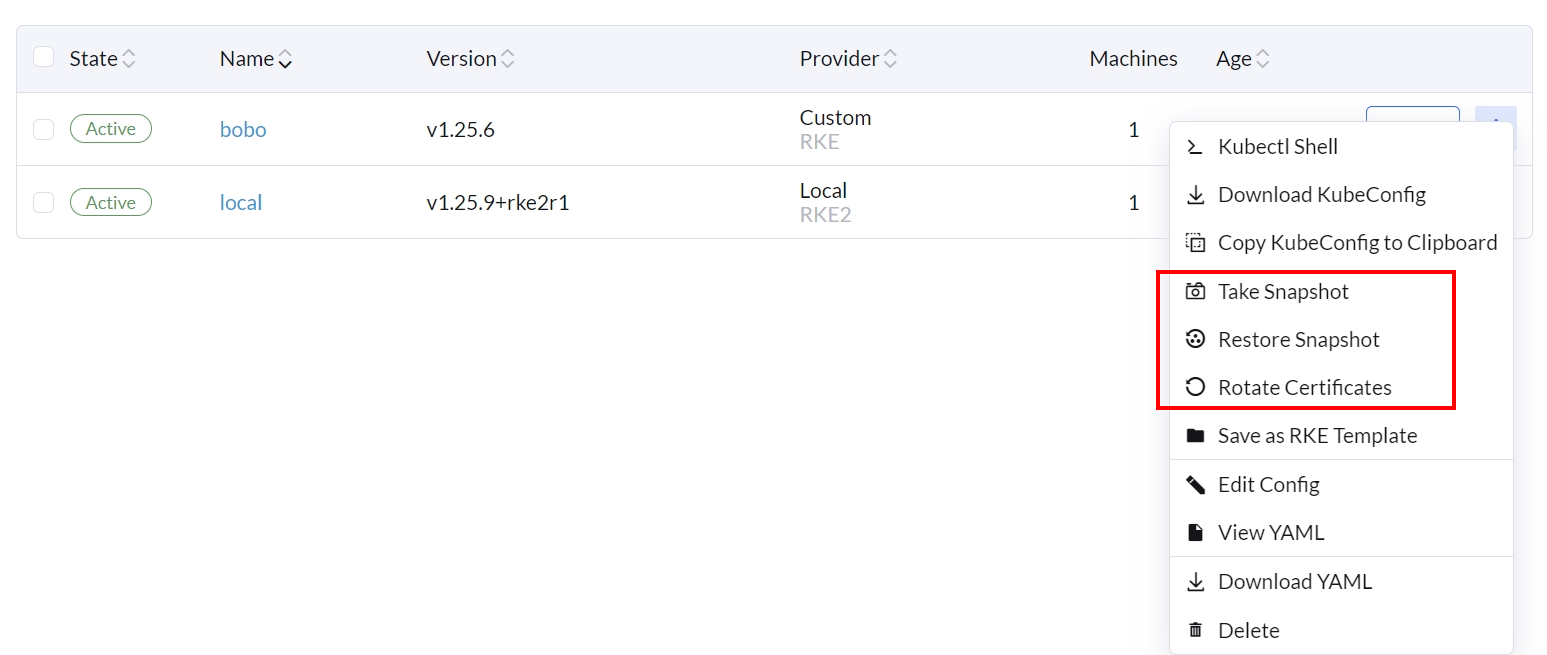
Cluster Management Tasks
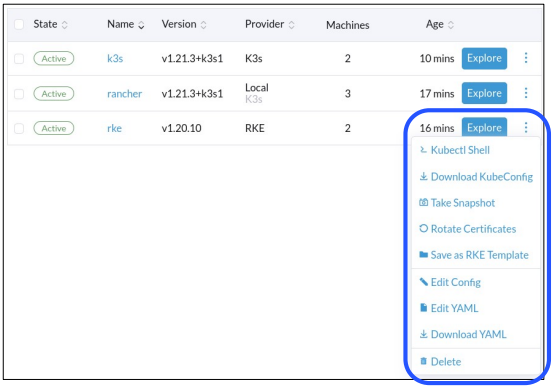
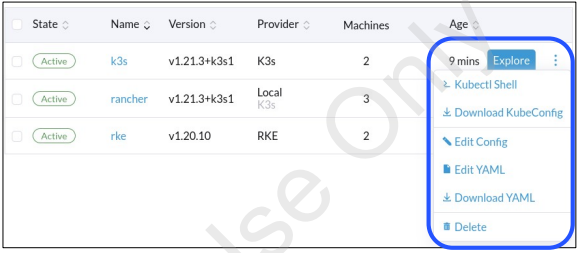
- 其他選項的可用性,如 Take Snapshot (採取快照)、 Rotate Certificates (更換證書)和 Save as RKE Template (保存為 RKE 模板),取決於集群類型
- SUSE Rancher provisioned clusters have more functionality than imported clusters
Cluster Related Information (1/5)
- Click on a cluster from the list
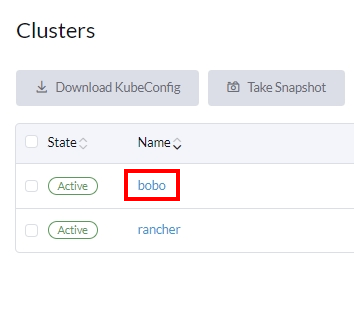
- Machines tab 提供有關當前集群節點、它們的狀態和角色的信息
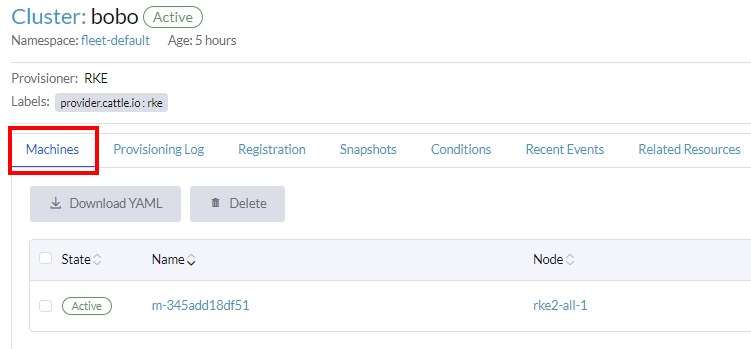
刪除功能被用來從雲端供應商那裡移除有問題的節點。當管理員刪除一個有問題的節點,如果該節點在一個節點池中並且啟用了自動替換節點的功能,SUSE Rancher 可以自動用一個配置完全相同的節點來替換它。
對節點進行 Cordoning (封鎖) 會停用該節點上的 scheduling (排程) 功能。這個特性對於在短暫的維護時間窗口內對節點執行短任務很有用,像是重新開機、升級或停用。當維護完成後,再開啟電源並通過解封鎖來重新啟用節點上的排程功能。
Draining 是先封鎖節點,然後驅逐其所有 Pods 的過程。這個特性對於進行節點維護(像是核心升級或硬體維護)很有用。它防止新的 Pods 部署到節點,同時重新分配現有的 Pods,以確保使用者不會經歷服務中斷。對於有副本集的 Pods,該 Pod 會被一個新的 Pod 替換,並且會被排程到一個新的節點。
There are two drain modes:
Aggressive Mode
在這種模式下,即使 Pods 沒有 controller,也不會被重新調度到新的節點。Kubernetes 期望管理員有一個處理這些 Pods 刪除的邏輯。Kubernetes 也期望實現能決定如何處理使用 emptyDir 的 Pods。如果一個 Pod 使用 emptyDir 來存儲本地數據,管理員可能無法安全地刪除它,因為一旦 Pod 從節點中移除,emptyDir 中的數據將被刪除。選擇 aggressive mode (激進模式)將刪除這些 Pods。
Safe Mode
如果一個 Node 有獨立的 Pods 或短暫的數據,它將被 cordoned ,但不會被 drained。
Cluster Related Information (2/5)
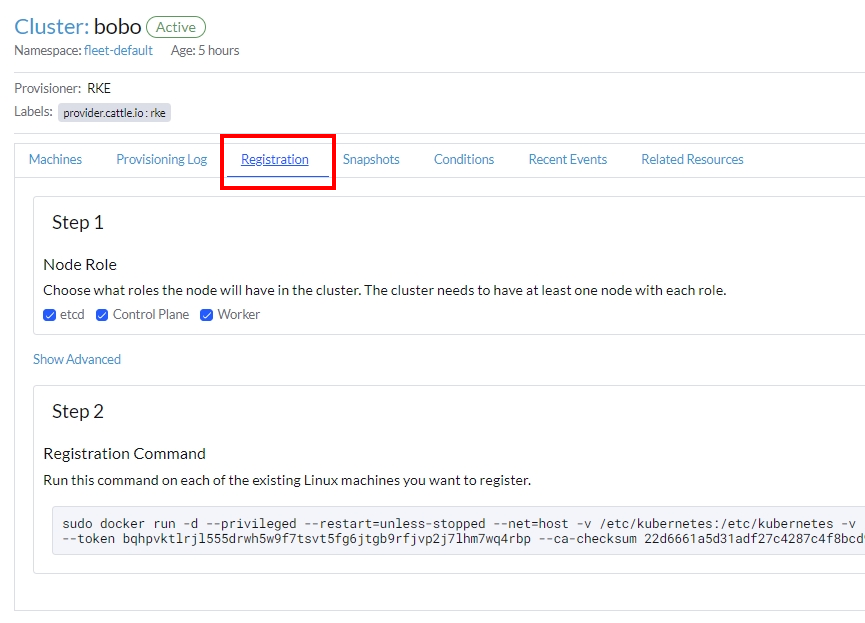
- Registration tab displays:
- 節點註冊的角色
- 用於註冊的命令
Cluster Related Information (3/5)
- Snapshots tab 包含關於所拍快照的信息
- Automatic
- Manual
- 要拍攝一個新的手動快照,請點擊
Snapshot Now
- 要拍攝一個新的手動快照,請點擊
- Restore from the Triple Dot Menu

Cluster Related Information (4/5)
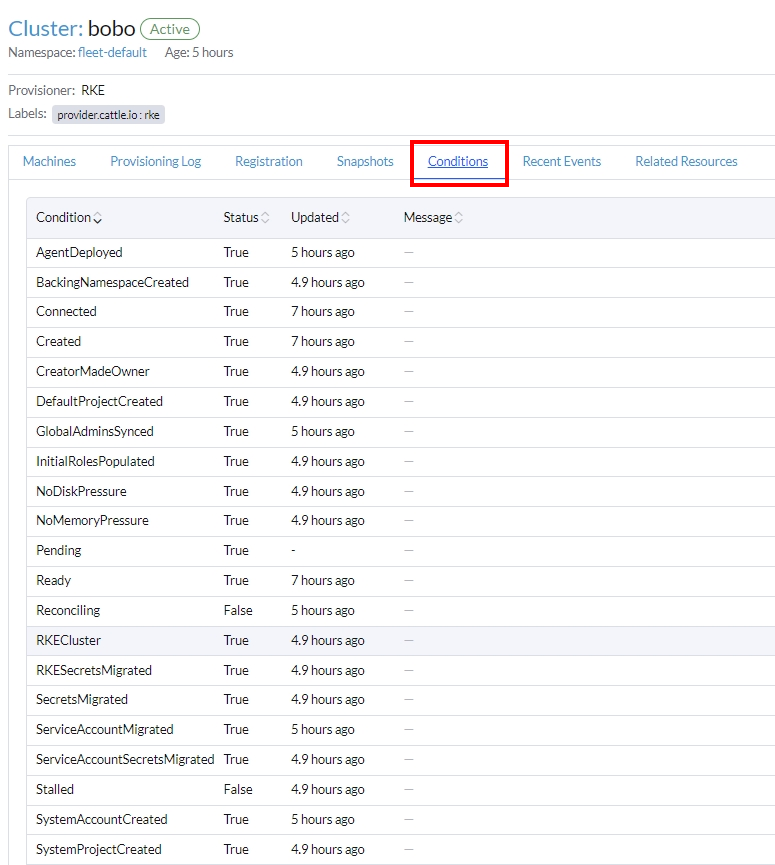
- Conditions tab contains information about:
- Cluster type
- Cluster status
- Deployed components and their statuses
- State of the cluster processes
- Initial roles
- Disk and memory pressure status
Cluster Related Information (5/5)
- Related Resources tab contains information about:
- State
- Type
- Name
- 超鏈接以便於導航
View Cluster and Node Agents
Cluster Agent
- The name of the agent is cattle-cluster-agent
- The type of the Kubernetes resource is Deployment
- Replicated for high availability
- Connects to the Kubernetes API of the cluster
- Main Menu →
<CLUSTER>→ Workload → Deployments → cattle-system
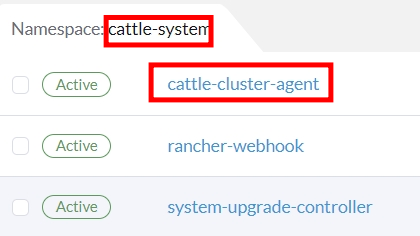
Node Agent
- The name of the agent pod is cattle-node-agent
- The type of the Kubernetes resource is DaemonSet
- Runs on every node for the Kubernetes distribution if required
- For example K3s clusters do not require node agent for snapshots
- Interacts with the nodes
- 執行集群操作,如 Kubernetes 升級、快照等
- Main Menu →
<CLUSTER>→ Workload DaemonSet → cattle-node-agent
當 cattle-cluster-agent 不可用時,cattle-node-agent 用作回退選項以連接到 SUSE Rancher 啟動的 Kubernetes 集群的 Kubernetes API。

Import an Existing Kubernetes Cluster
Importing a Cluster
- From SUSE Rancher Home page, click Import Existing
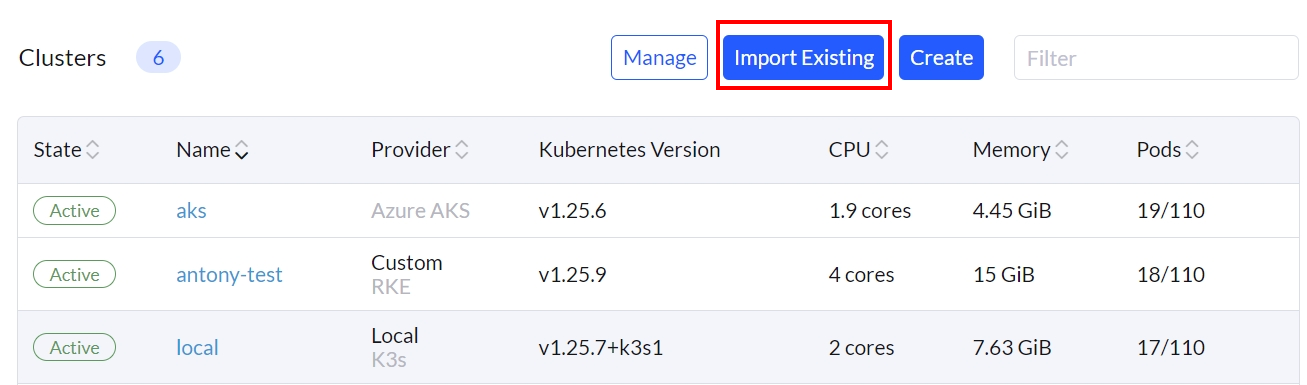
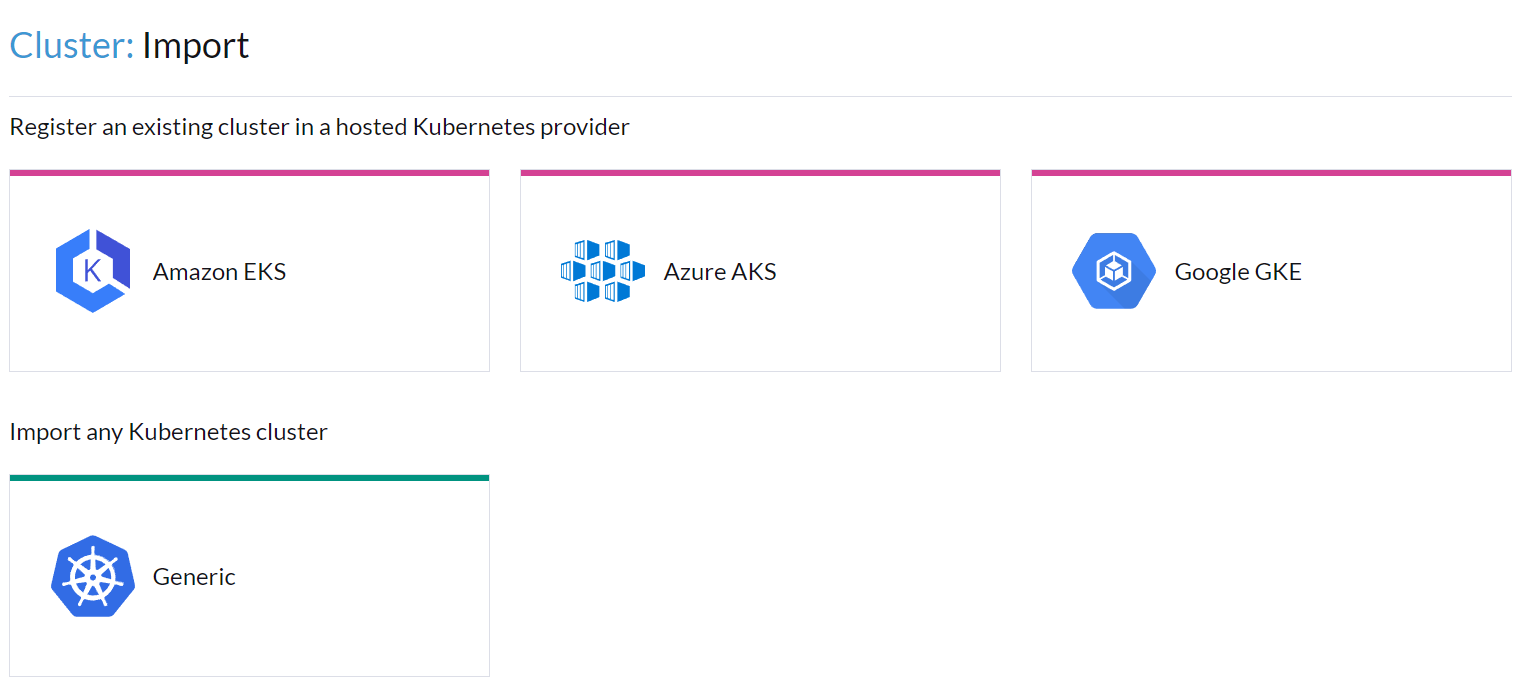
Cluster Type
- Imported clusters can run on infrastructure provider’s cloud or on physical/VM nodes
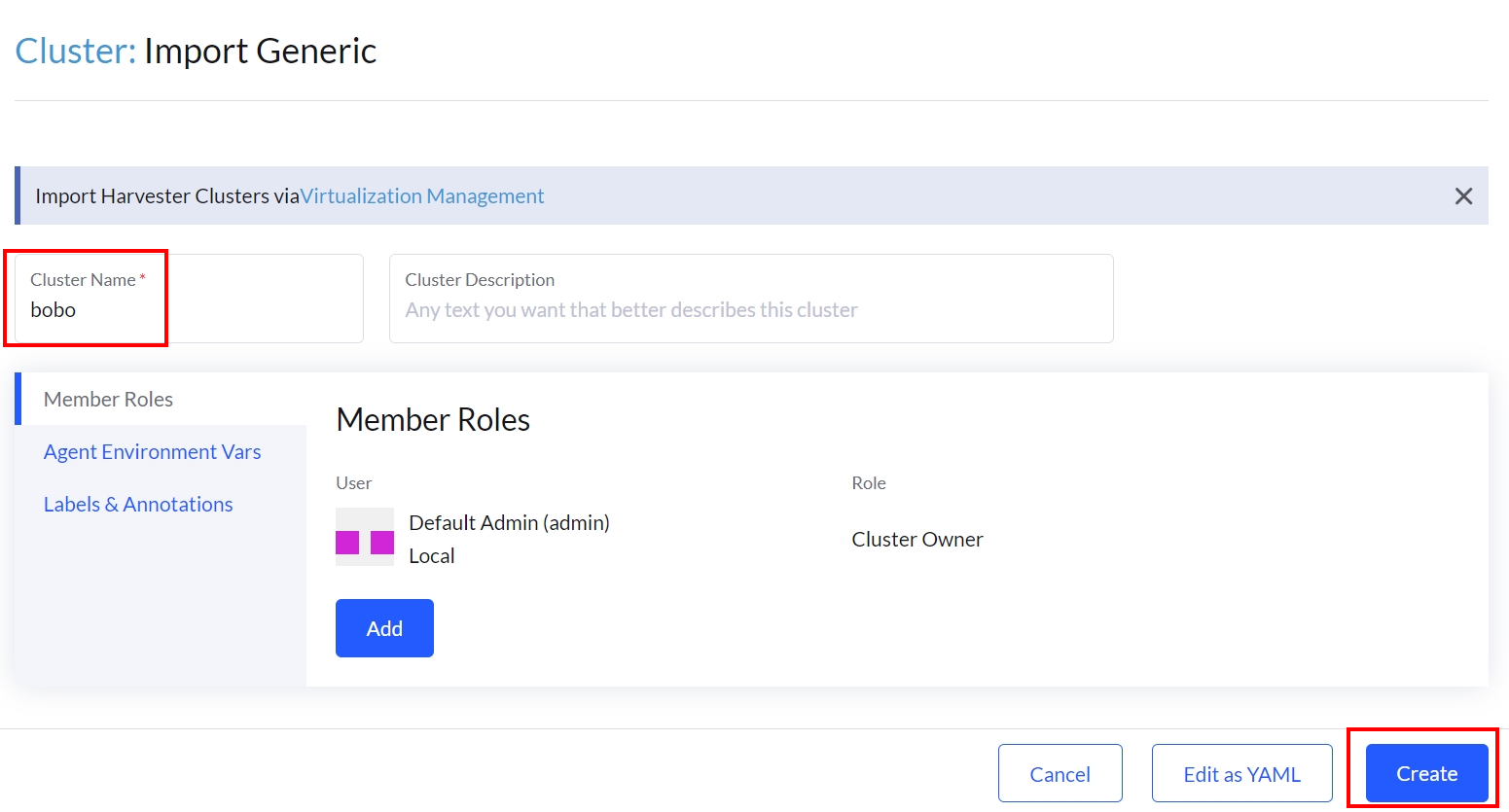
Cluster Name
- Enter Cluster Name and other configuration details
- Click Create
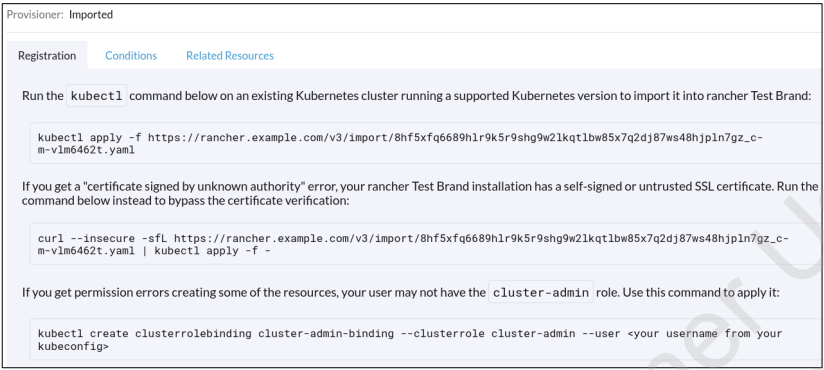
Registration Details
- Cluster registration information and requirements will be displayed
- The Registration tab contains alternative ways for completing the registration
- kubeconfig file for the cluster is required on the node the command is run on
Updated Cluster List
- The imported cluster will be listed
- Provider displays Imported until the cluster agent is up and running
- It then changes to match the actual Kubernetes distribution
- For a healthy cluster, the State should reach Active in minutes
- Provider displays Imported until the cluster agent is up and running

Provision an RKE Cluster on Existing Nodes
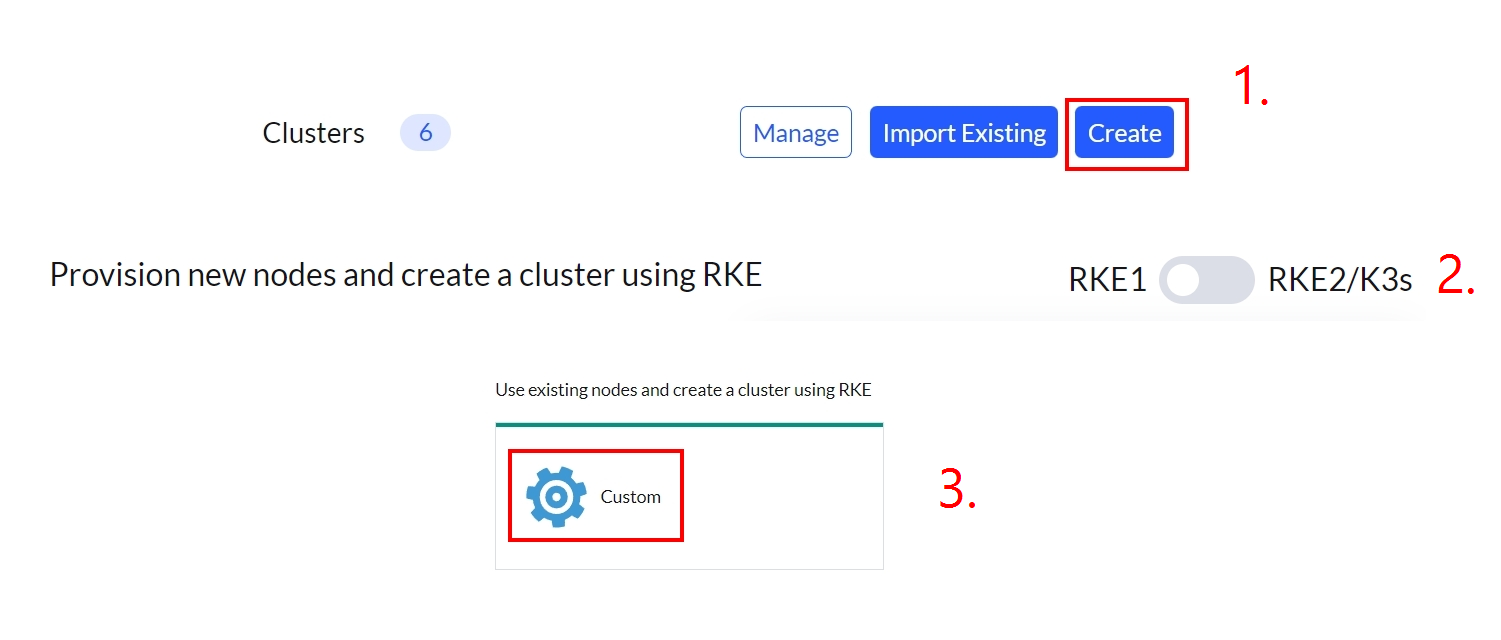
RKE Cluster Provisioning on Existing Nodes
- From SUSE Rancher Home page, click Create
- Verify RKE1 is selected
- Click Custom
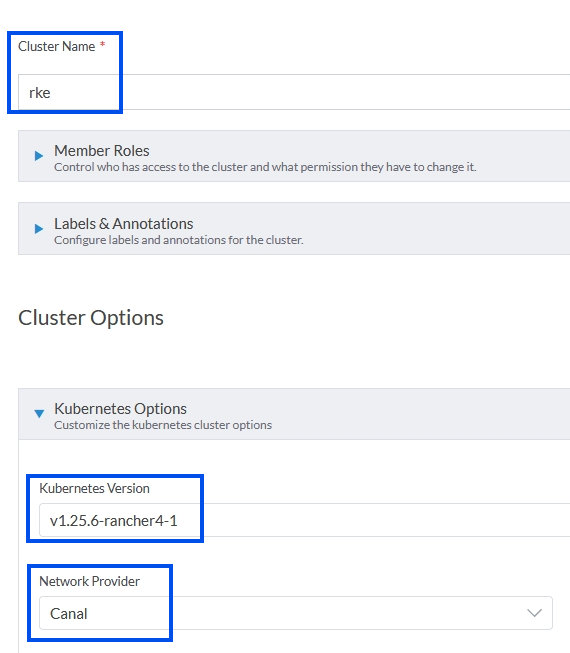
RKE Cluster Configuration
- Enter Cluster Name
- Select Kubernetes Version
- The newest available is the default
- Select Network Provider
- Canal is the default
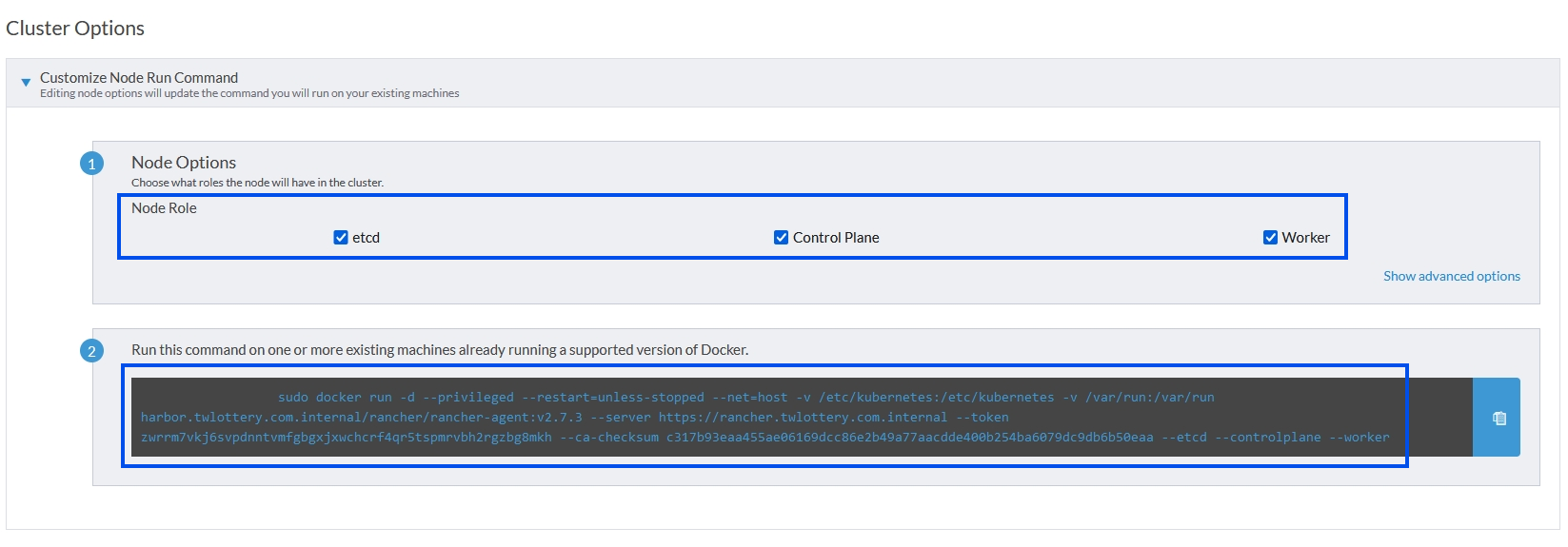
Cluster Roles
- Select the cluster roles for the node
- etcd, Control Plane and/or Worker
- Copy the command box content to clipboard
- 在具有預期角色的節點上運行命令
docker.service必須正在運行。- 使用者必須是 docker 群組的成員
Docker Container Deployment
- Docker images are downloaded if not available on the node
- Images are extracted
- Containers are created
- Node starts to communicate with SUSE Rancher API
- The GUI displays a message: 1 new node has registered

Unable to find image 'rancher/rancher/rancher-agent:v2.7.3' locally
v2.7.3: Pulling from rancher/rancher-agent
cac05f14fd97: Extracting  24.58MB/47.2MB
cac05f14fd97: Pull complete
b76012a3083a: Pull complete
f19fb49c5ef4: Pull complete
452025625e7f: Pull complete
933e576da79e: Pull complete
3524f405b0a8: Pull complete
dae8b18ada91: Pull complete
Digest: sha256:3b3ea0427211a530a22c2e8f0146fbd8324dd5827496cd289aa43202788fd50b
Status: Downloaded newer image for rancher/rancher/rancher-agent:v2.7.3
1a7413595f54afa888783493dd29c9c417627d529dd0e925073533e9055e4af4
RKE Cluster Provisioning
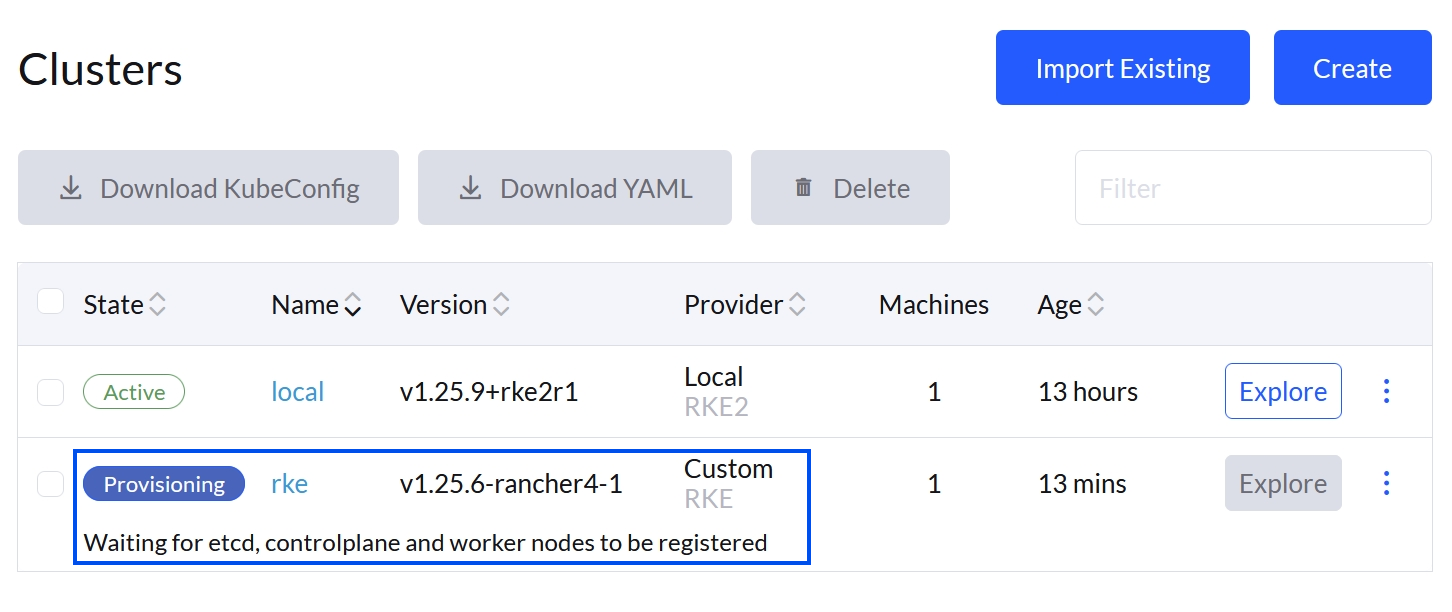
- SUSE Rancher GUI 顯示 RKE 集群的設定過程
- 狀態將在 Provisioning (供應)、Waiting (等待)、 Error (錯誤)、 Updating (更新)等過程中運行,直到所有 Container 都被正確啟動
- 集群 State (狀態) 需要 5-10 分鐘才能達到 Active (激活)狀態
- 重複角色配置並設定其他節點
Management Options for Clusters
- 請注意,與 import (導入) 的集群相比,SUSE Rancher provisioned 集群有更多的管理選項
Questions:
Q1: SUSE Rancher 集群的默認預設名稱是什麼?
local
Q2: 集群的 Cluster Dashboard (儀表板) 顯示什麼樣的信息?
Displays basic resource and utilization information 顯示基本資源和利用率資訊
Q3: 與 SUSE Rancher 一起使用的 Kubernetes 節點的 role names (角色名稱) 是什麼?
etcd, ControlPlane, and Worker.
Q4: Import (導入) Rancher 後,會創建一個新的 Kubernetes 集群,對還是錯?
錯。 Import ㄕ將一個現有的 Kubernetes 集群導入 SUSE Rancher GUI。